

ABEL Staking User Guide
Introduction: How ABEL Staking Works
Staking is like putting your digital assets into a high-yield savings account. In exchange for "locking" your tokens for a set period, you earn daily rewards.
The 3-Step Process:
- Set up your Digital Wallet: You will use MetaMask to hold and manage your funds.
- Convert your Tokens: You must change your standard ABEL tokens into WABEL so they can work on the staking network.
- Deposit and Earn: You choose how many tokens to stake and how long to lock them to start earning rewards.
Important Notice
You cannot use the standard Abelian Mobile Wallet app to stake directly on this website. Because the Abelian network is technically different from the systems used by web wallets, you must use MetaMask and the WABEL conversion process described below.
Prerequisites
Before staking, please ensure you have the following ready:
- An EVM-compatible wallet (MetaMask recommended) with QDay Mainnet active.
- WABEL tokens in your wallet (ABEL converted via the QDay Bridge from the Abelian network).
- A small amount of WABEL for transaction fees on the QDay network.
How to get WABEL?
If you don't have WABEL yet, please visit the WABEL Conversion page to convert your ABEL cross-chain to WABEL.
Tutorial
Follow these steps to start staking:
Step 1: Wallet setup
Log into MetaMask and add the QDay Mainnet as a custom network. For detailed instructions, please refer to MetaMask Wallet User Guide - Add QDay Network.
Step 2: Access the Staking Page
Go to https://portal.qday.io/
Click "Staking" in the left navigation menu to enter the Staking page.
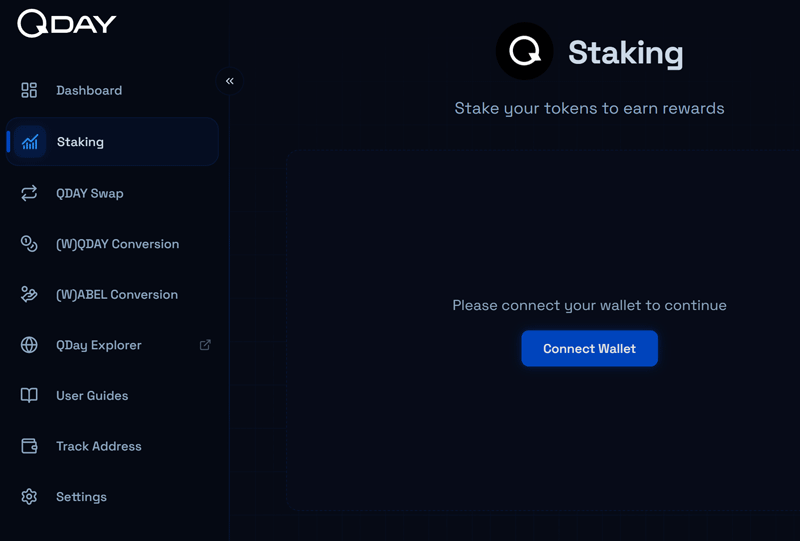
Click "Connect Wallet" to link your wallet.
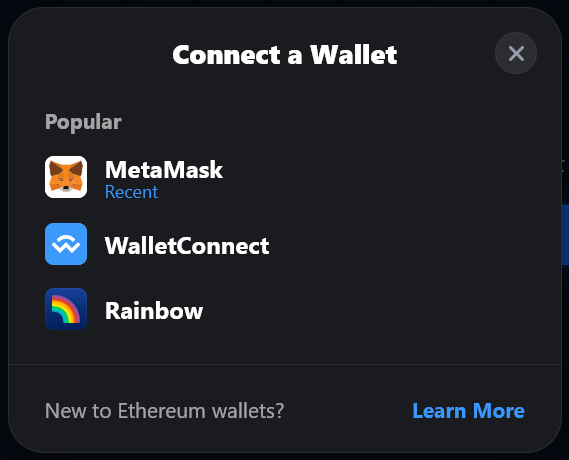
Step 3: Stake
Staking
Select WABEL from the "Select Token" dropdown.
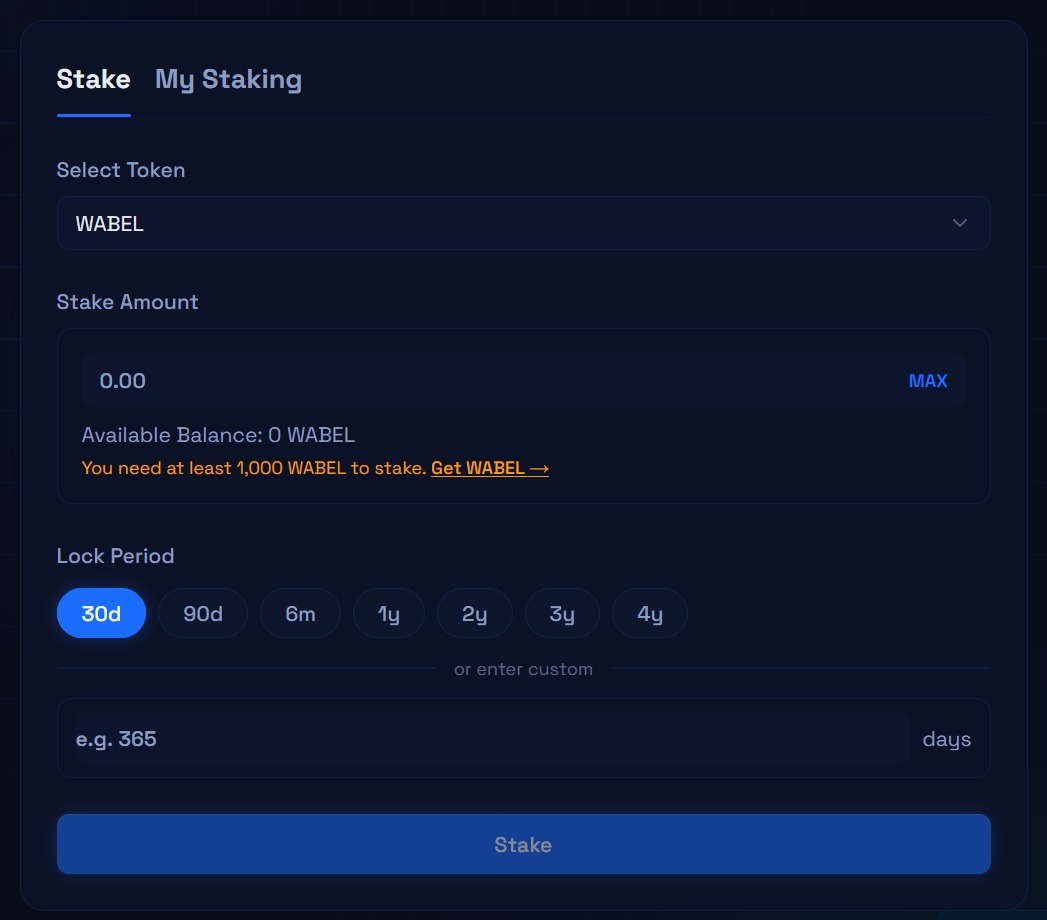
Once your WABEL balance is sufficient (minimum staking amount: 1,000 WABEL), enter the amount to stake, choose your lock-up period, then click "Stake" and confirm in your wallet.
My Staking
After staking, you can view your details in the "My Staking" tab:
- Daily rewards accumulate automatically → Claim your pending rewards → Withdraw from your vault balance to your EVM wallet.
- Each record shows the staking amount, lock period, and remaining days, providing the following actions:
- Extend Lock Period: Extend the lock-up duration to continue accumulating rewards.
- Add Stake: Add more tokens to an existing position to increase your daily rewards.
- Unstake: Withdraw your staked tokens once the lock-up period has expired. Not available during the lock period.
Dashboard
Click the "Dashboard" tab in the left navigation menu to get a comprehensive view of all your staked assets.
Understanding Your Rewards
- The Multiplier: The longer you promise to leave your tokens locked, the higher your daily "paycheck" will be. For example, choosing a 4-year lock gives you a 1500% multiplier on your share of the rewards.
- Daily Payouts: You don't have to wait years to see your progress. Even if your main deposit is locked, your rewards accumulate and are distributed every single day.
- Withdraw Anytime: You can "Claim" your rewards and move them to your wallet whenever you want without affecting your locked deposit.
- Lock-up Weighting: The system is designed to favor long-term supporters; the longer the lock-up, the higher the share allocation.
- Variable Rewards: The figures above describe the staking multiplier structure. Actual rewards are not guaranteed and may vary based on total pool participation, network conditions, and your specific lock-up selection.
Frequently Asked Questions (FAQ)
Q1: Can an Abelian network be added to MetaMask?
Answer: No.
Abelian is an independent post-quantum blockchain network that uses a different technical architecture from EVM. MetaMask is designed specifically for Ethereum Virtual Machine (EVM) compatible chains and therefore cannot support the Abelian network.
Note
If you need to use the Abelian network (e.g., to hold ABEL for cross-chain conversion), please use the Abelian mobile wallet application.
Q2: What is the minimum staking amount for WABEL?
Answer: The minimum staking amount is 1,000 WABEL.