

QDay Swap User Guide
QDay Swap is a decentralized exchange platform based on the QDay blockchain, allowing you to quickly swap various tokens and earn yields by providing liquidity.
Prerequisites
Before using, please ensure you have installed and set up the MetaMask Wallet and Added the QDAY Network.
1. Token Swap
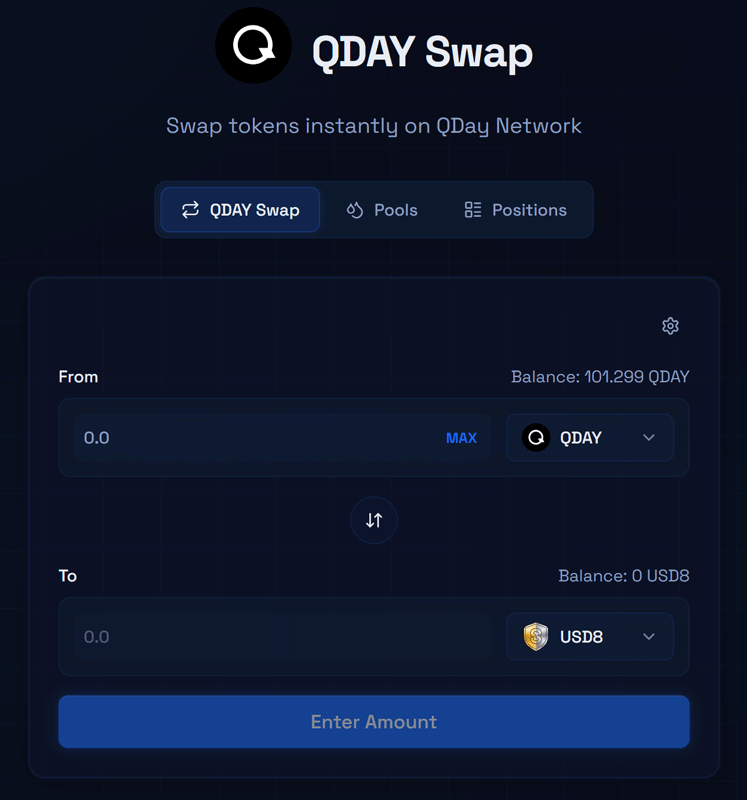
QDay Swap supports instant swapping among three tokens: WABEL, QDAY, and USD8.
Operating Steps:
- Visit QDay Swap and connect your MetaMask wallet (make sure it is switched to the QDAY network).
- Select the tokens you want to pay and receive in the "Swap" interface.
- Enter the amount, and the system will automatically calculate the exchange rate and the estimated tokens to be received.
- Click "Swap" and confirm the authorization and transaction in your wallet to complete the process.
2. Liquidity Pools
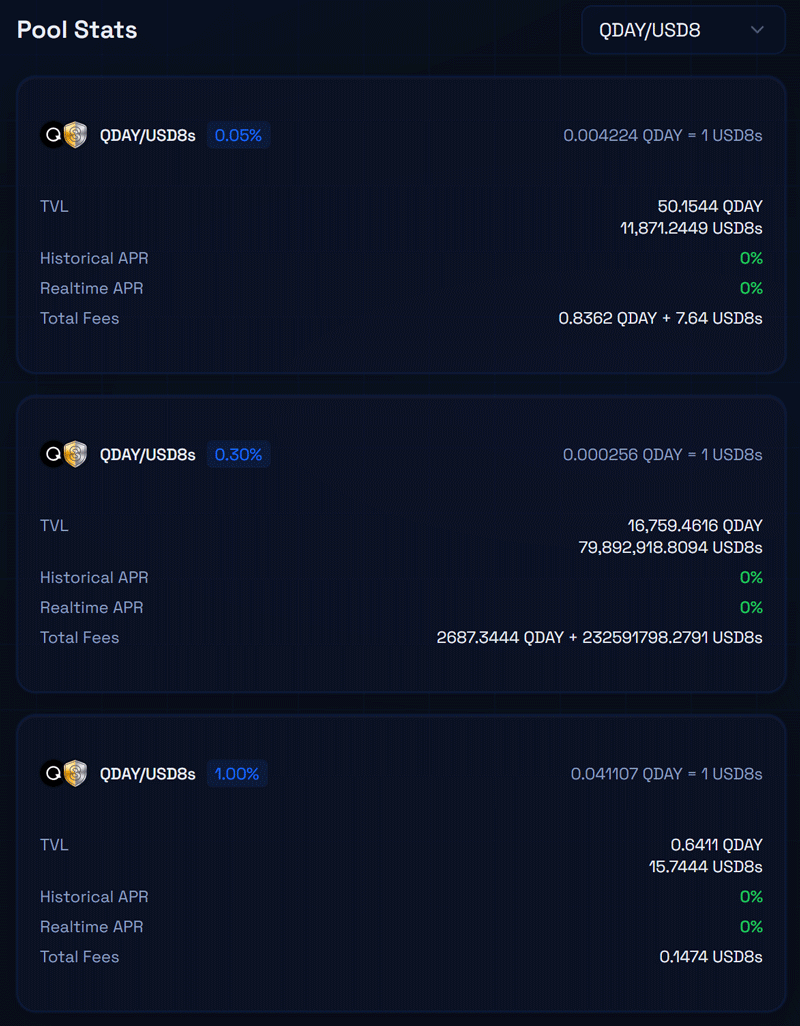
By providing tokens to a liquidity pool, you can become a liquidity provider (LP) and earn transaction fee yields. The "Liquidity Pools" page contains two tabs: "Pool Statistics" and "Add Liquidity":
Pool Statistics
Here you can view the data of different liquidity pools. You can switch among the following three pairs via the dropdown menu:
- QDAY / USD8
- QDAY / WABEL
- WABEL / USD8
Add Liquidity
Operating Steps:
- Switch to the "Add Liquidity" tab and select the token pair you want to provide liquidity for among WABEL, QDAY, and USD8.
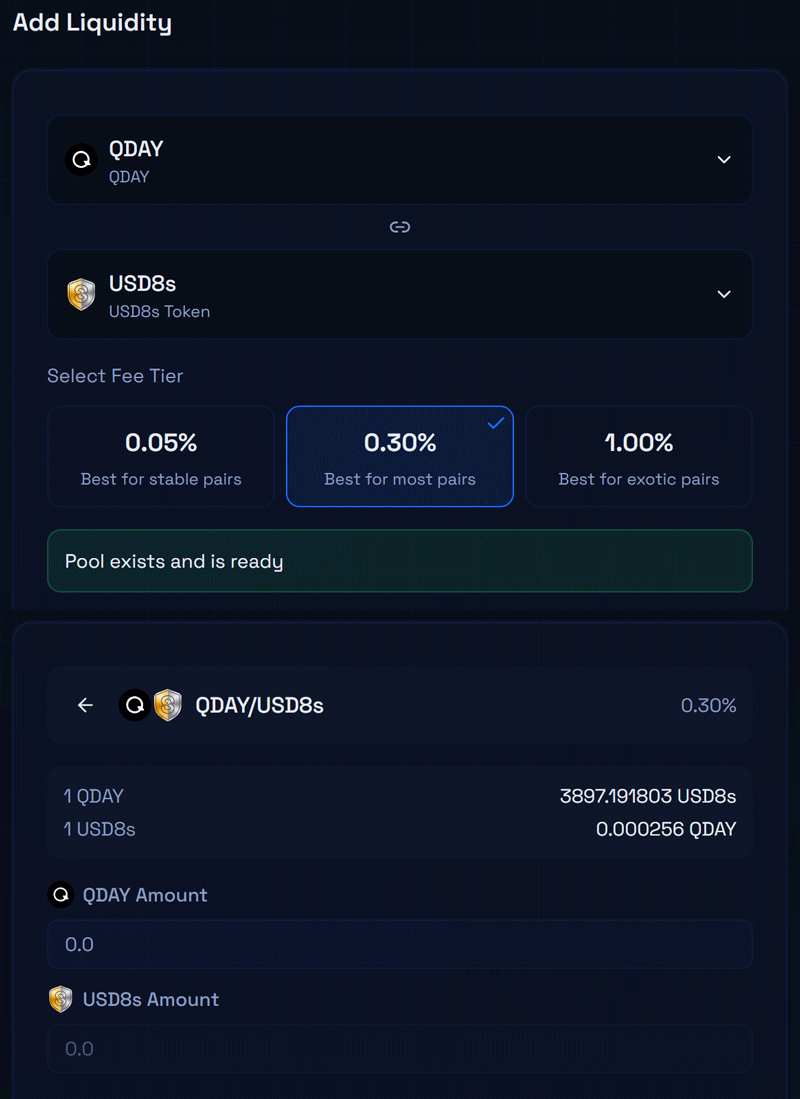
- Select an appropriate fee tier (the default recommendation is 0.30% or 0.05%), then click the "Continue" button.
- In the subsequent interface (as shown in the image below, using QDAY/USD8 as an example), enter the amount of tokens you want to add, and the system will automatically calculate the required amount of the other token based on the current exchange rate.
- Click the "Add Liquidity" button at the bottom, authorize and confirm the transaction in your wallet. Once completed, you will receive the corresponding LP share.
3. Manage Positions and Transaction History
- My Positions: Click on "My Positions" in the "Liquidity Pools" page to view the details of the liquidity you currently provide, and you can perform the "Remove Liquidity" operation at any time.
- Transaction History: Click on your wallet address in the upper right corner and select "Transaction History" to view all your swap and liquidity operation history.
Security Warning
Please make sure to access QDay Swap via the official link (https://portal.qday.io/en/qday-swap) to guard against phishing websites. Before conducting large transactions, it is recommended to test the process with a small amount first.