

QDAY Staking User Guide
Prerequisites
Before staking, please ensure you have the following:
- An EVM-compatible wallet, such as MetaMask, with QDay Mainnet added
- Sufficient QDAY or WQDAY in your wallet
- A small amount of QDAY to pay network transaction fees
- Access to the correct official QDAY staking portal
- An understanding of the selected lock-up period and its restrictions
Important risk notice:
- Staking involves interacting with smart contracts
- Blockchain transactions are generally irreversible once confirmed
- Locked tokens cannot be unstaked until the lock-up period expires
- Reward rates and distributions may change over time according to the protocol design
- Always verify the website URL and wallet prompt details before approving transactions
How do I get QDAY?
Method 1: Stake ABEL to earn QDAY
- First, you need to purchase ABEL. You can buy it through MEXC, BitMart exchanges, or via the In-app purchase feature in the Abelian Mobile Wallet.
- Stake your ABEL to receive QDAY rewards. For detailed steps, please refer to the ABEL Staking User Guide.
Method 2: Swap USD8 for QDAY
- Via QDay Bridge: Use USDT (ETH) to buy USD8, or use the In-app purchase feature in the Abelian Mobile Wallet to buy USD8.
- Via QDay Swap or the In-app swap feature in the Abelian Mobile Wallet: Swap USD8 for QDAY. For detailed steps, refer to the QDay Swap User Guide.
Staking Mechanism
- When staking, the system automatically converts QDAY to WQDAY (wrapped token)
- Longer lock-up periods result in higher share allocations
- Rewards accumulate daily and can be claimed and withdrawn to your wallet anytime
Tutorial
Follow these steps to start staking:
Step 1: Wallet setup
Log into MetaMask and add the QDay Mainnet as a custom network. For detailed instructions, please refer to MetaMask Wallet User Guide - Add QDay Network.
Step 2: Access the Staking Page
Go to https://portal.qday.io/
Click "Staking" in the left navigation menu to enter the Staking page.
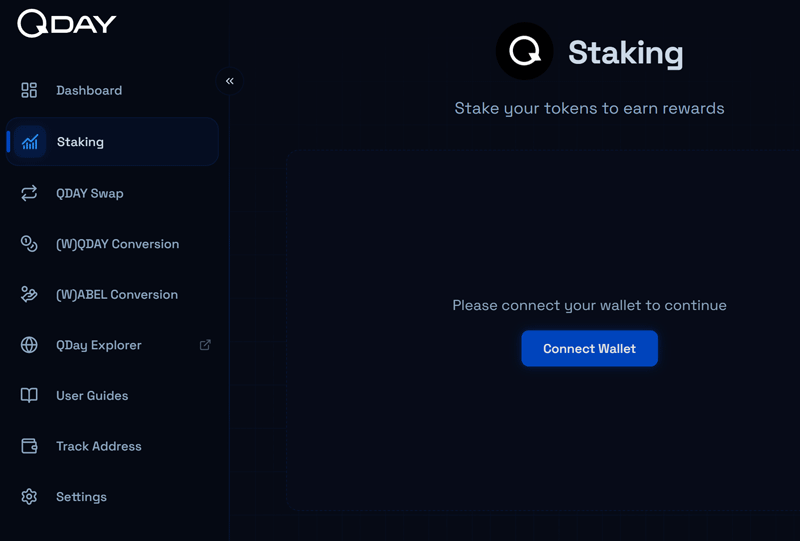
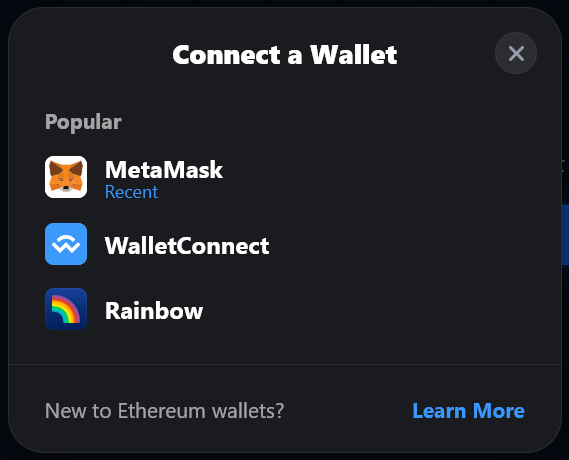
Click "Connect Wallet" and select your preferred wallet (supports MetaMask, WalletConnect, Rainbow) to link your wallet.
Step 3: Stake
Staking
Ensure WQDAY is selected from the "Select Token" dropdown.
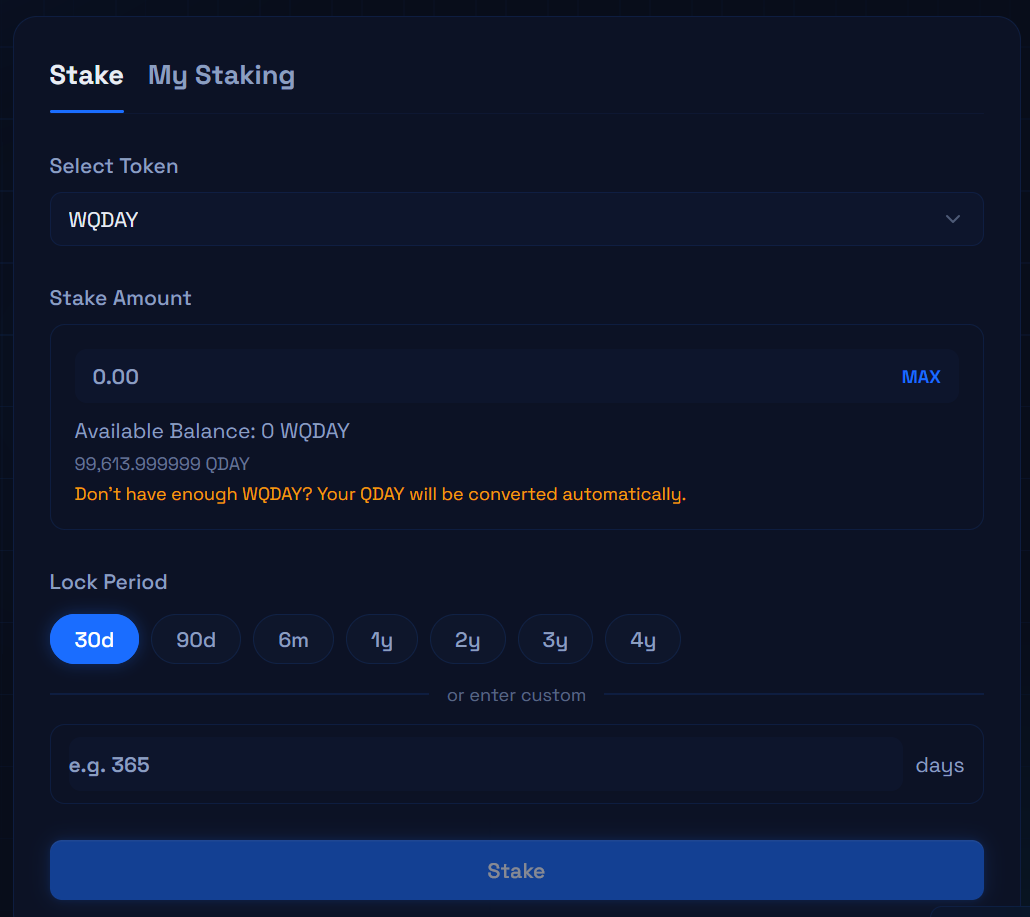
Enter the amount of WQDAY/QDAY to stake, choose your lock-up period, then click "Stake" and confirm the transaction in your wallet.
Note
- The maximum lock-up period is 1460 days (4 years).
- When staking QDAY, your QDAY will be automatically converted to WQDAY (the wrapped token) if you have a sufficient balance.
My Staking
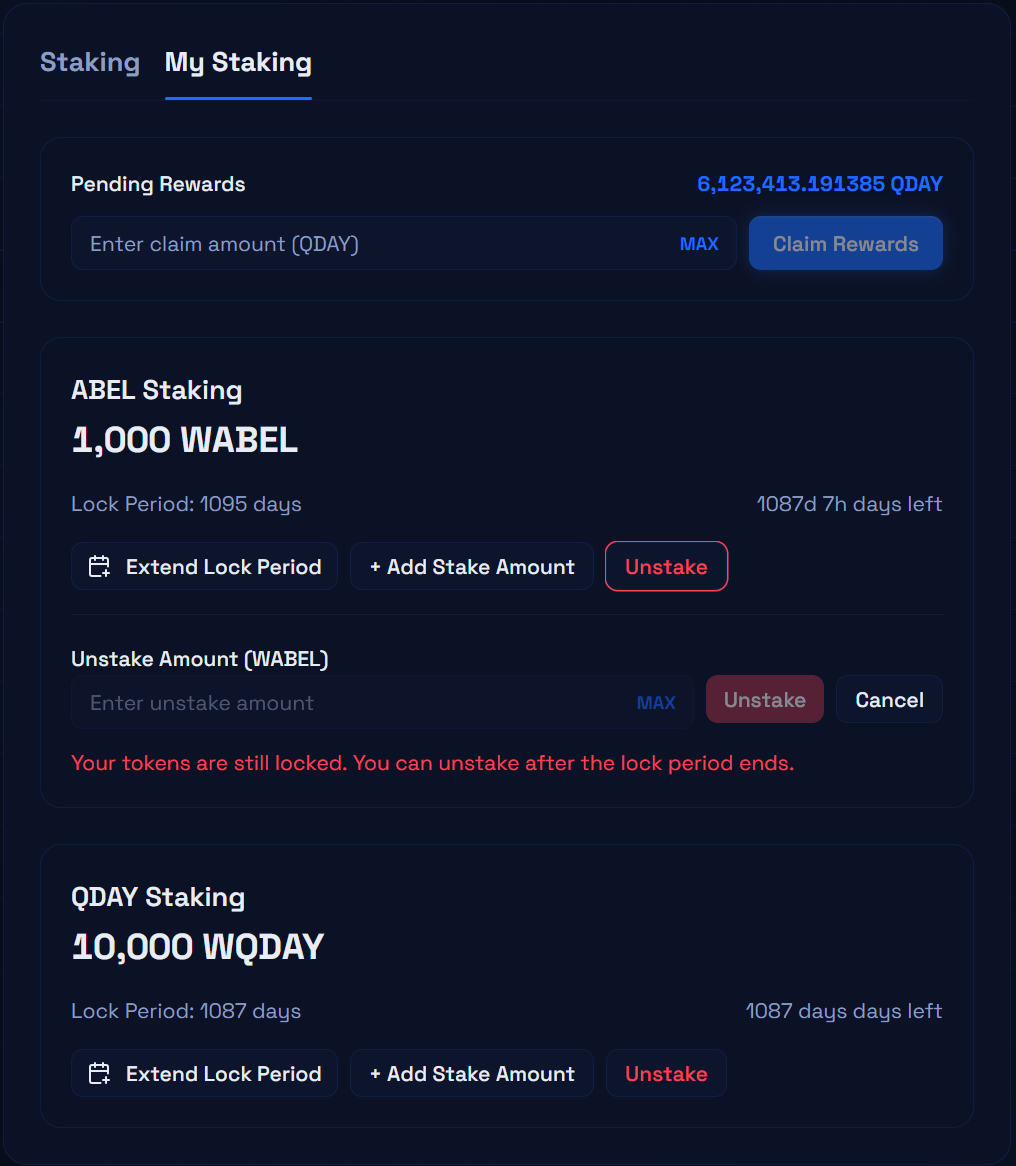
After staking, you can view your details in the "My Staking" tab:
Daily rewards accumulate automatically → Claim your pending rewards → Withdraw from your vault balance to your EVM wallet.
Each record shows the staking amount, lock period, and remaining days, providing the following actions:
- Extend Lock Period: Extend the lock-up duration of an existing stake to continue accumulating rewards.
- Add Stake: Add more tokens to an existing staking position to increase daily rewards.
- Unstake: Withdraw your staked tokens once the lock-up period has expired. Not available during the lock period.
Dashboard
Click the "Dashboard" tab in the left navigation menu to get a comprehensive view of all your staked assets.
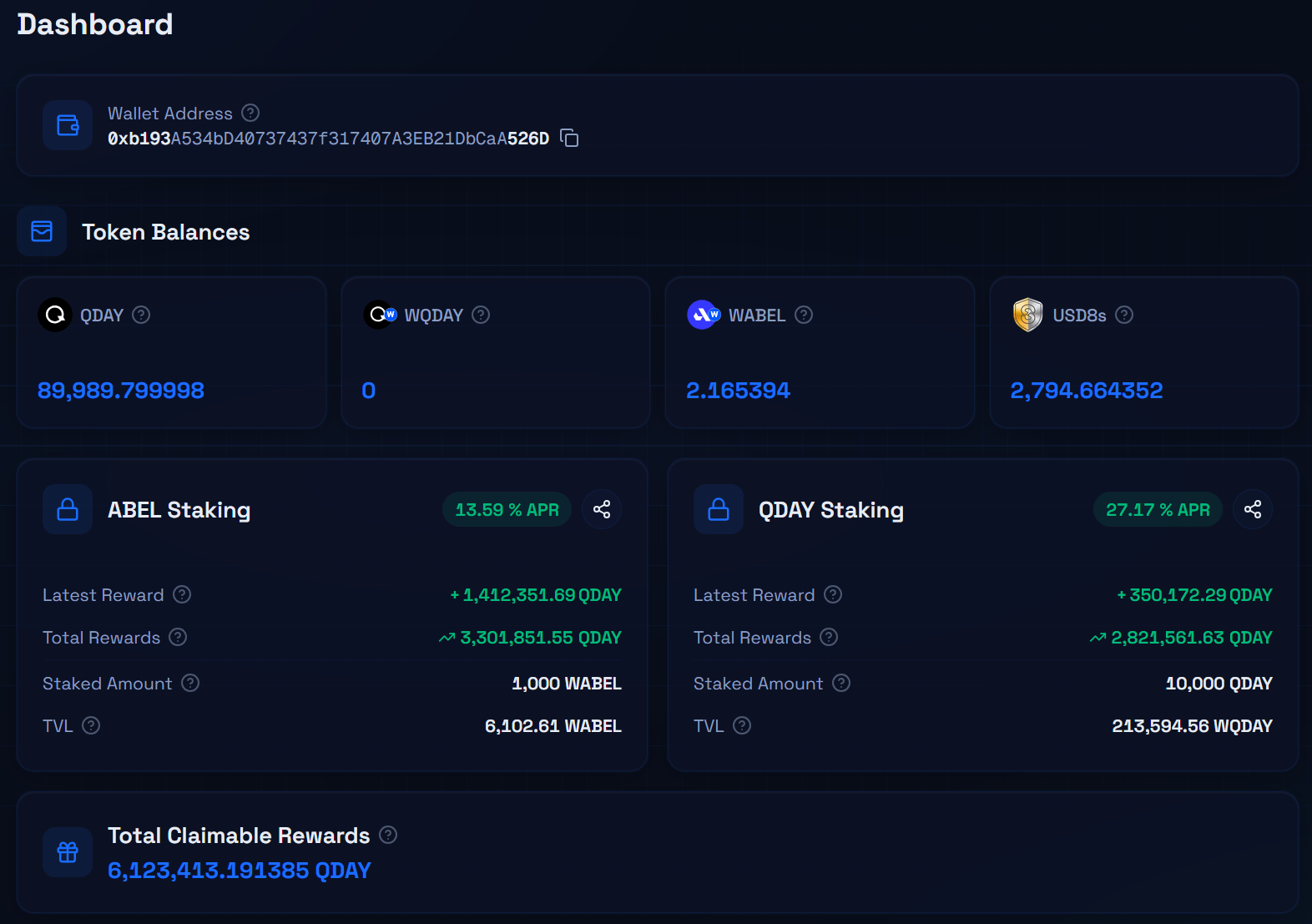
About WQDAY Staking Rewards
Reward Pool
- 50% of the total QDAY supply, approximately 11.259 billion tokens, is allocated for staking rewards.
Daily Distribution
- Each day, 1/1000 of the remaining reward pool is distributed to stakers.
- Because the distribution is calculated from the remaining pool, the daily payout decreases gradually over time.
Reward Share Calculation
Your daily reward is based on your Share, calculated as: Share = Amount Staked × Remaining Lock-up Days
Example:
- If you stake 100 QDAY with a 1460-day lock-up, your share is: 100 × 1460 = 146,000
- If another user stakes 200 QDAY with a 730-day lock-up, their share is: 200 × 730 = 146,000
In this simplified example, both staking positions have the same share, so they would receive the same proportion of the daily distribution, assuming all other conditions are the same.
Important:
- This is a simplified explanation for reference.
- Rewards are not fixed or guaranteed.
- Actual rewards depend on factors such as:
- the amount remaining in the reward pool
- the total shares of all participating stakers
- changes in staking positions over time